
19. Theory Lessons
Theory lessons are booked like any reservation - just without an aircraft, without flight time and with a topic instead of a route. The module has to be licensed for the club.
Preparation by the club owner
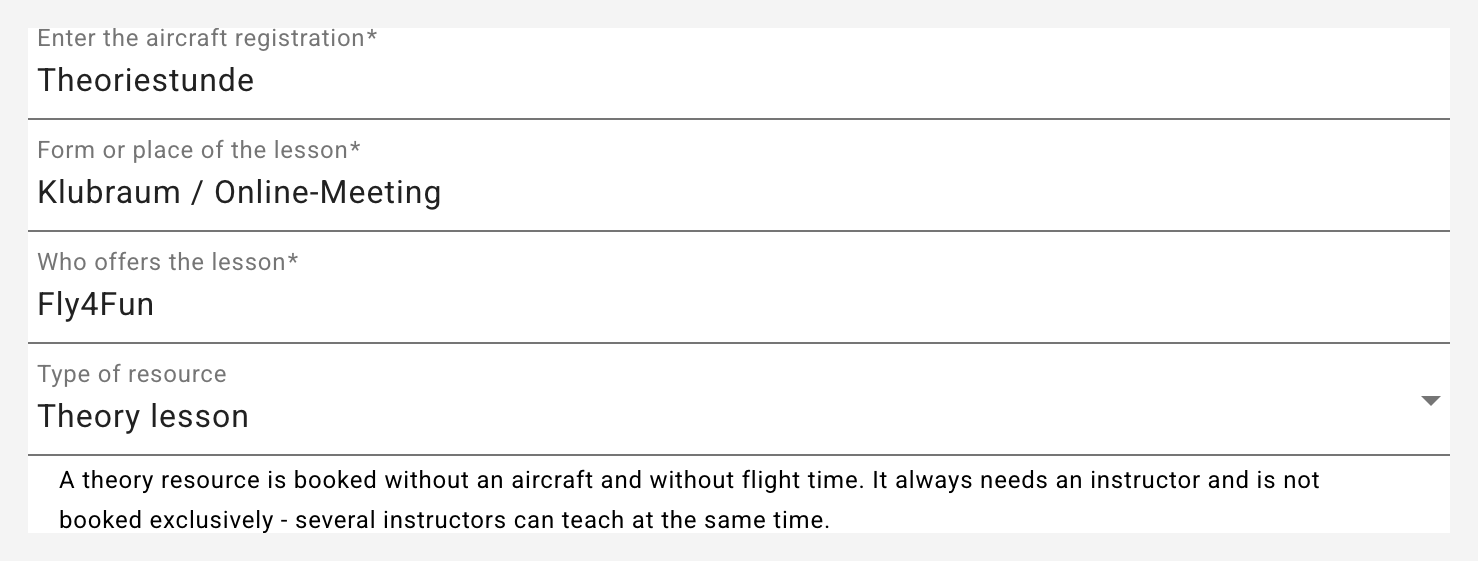
- Create a theory resource: add a new resource under Aircraft and pick Theory lesson as "Type of resource". The name is free (e.g. "Theory lesson"); "Form or place of the lesson" says how it is taught - "Club room" just as well as "Zoom" or "Teams". The hourly rates define what a lesson costs: the instructor rate is the price of the hour, the club's share of it goes to the club, the rest to the instructor. Pilot and student rates stay at 0 - nothing is flown.
- Appoint theory instructors: assign the classification Theory instructor in the member administration. This is a permission of its own next to "Instructor" - not every flight instructor teaches theory, and a theory instructor does not have to be a flight instructor.
A club can keep several theory resources, for instance with different rates for individual tuition and class evenings.
Requesting a lesson
The usual way: a student or pilot asks for a lesson.
- Pick the resource Theory lesson under Reservations.
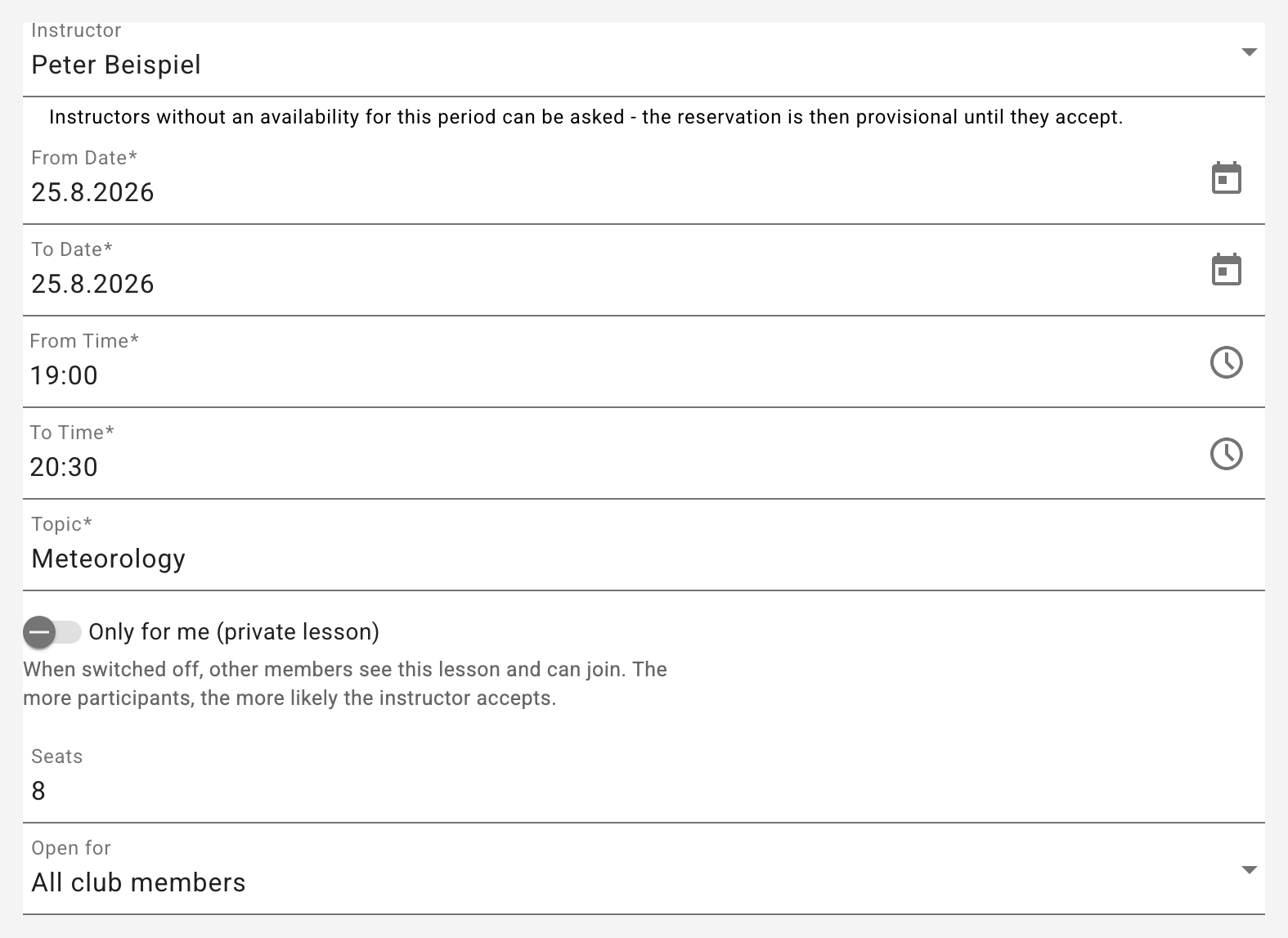
- Enter the period, the topic and the theory instructor you would like.
- Decide on the switch "Only for me":
- on: private lesson, nobody can join.
- off: the lesson becomes visible and others can join. The number of seats and the audience (all club members or student pilots only) can then be set as well.
- Save. Because the instructor has to accept, this creates a request - exactly like a lesson request in flight operations. He accepts or declines it on the dashboard.
If the theory instructor creates the lesson himself, it is confirmed right away - nobody needs to ask themselves.
Joining
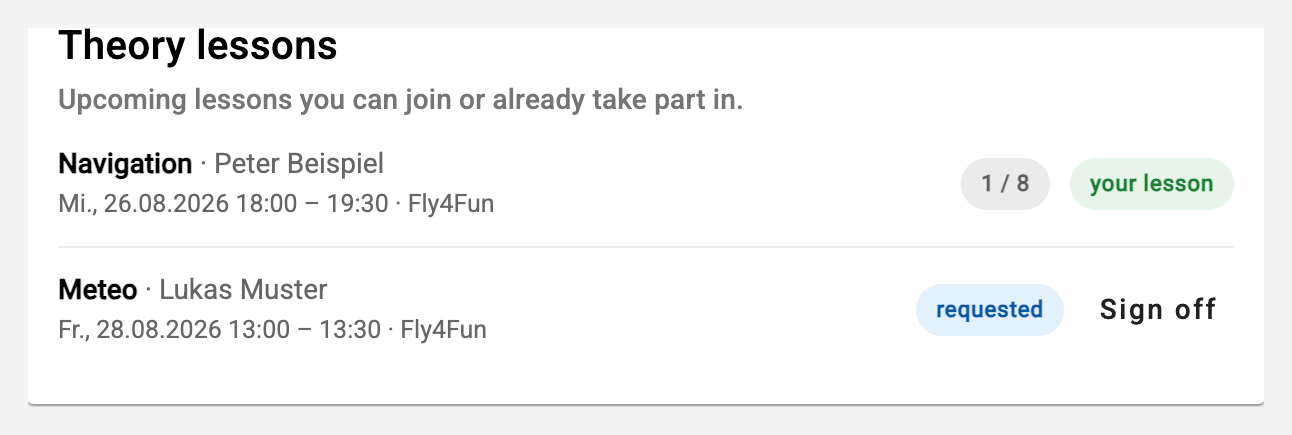
Upcoming lessons are listed on the dashboard under Theory lessons, together with the number of seats taken and whether the lesson is still waiting for the instructor's answer.
- "I'm in" registers you. This works even while the instructor has not answered yet - on the contrary: the more participants, the more likely he accepts. The request tells him the number.
- "Sign off" is possible until the lesson starts. After that the instructor decides who took part.
Confirming a lesson
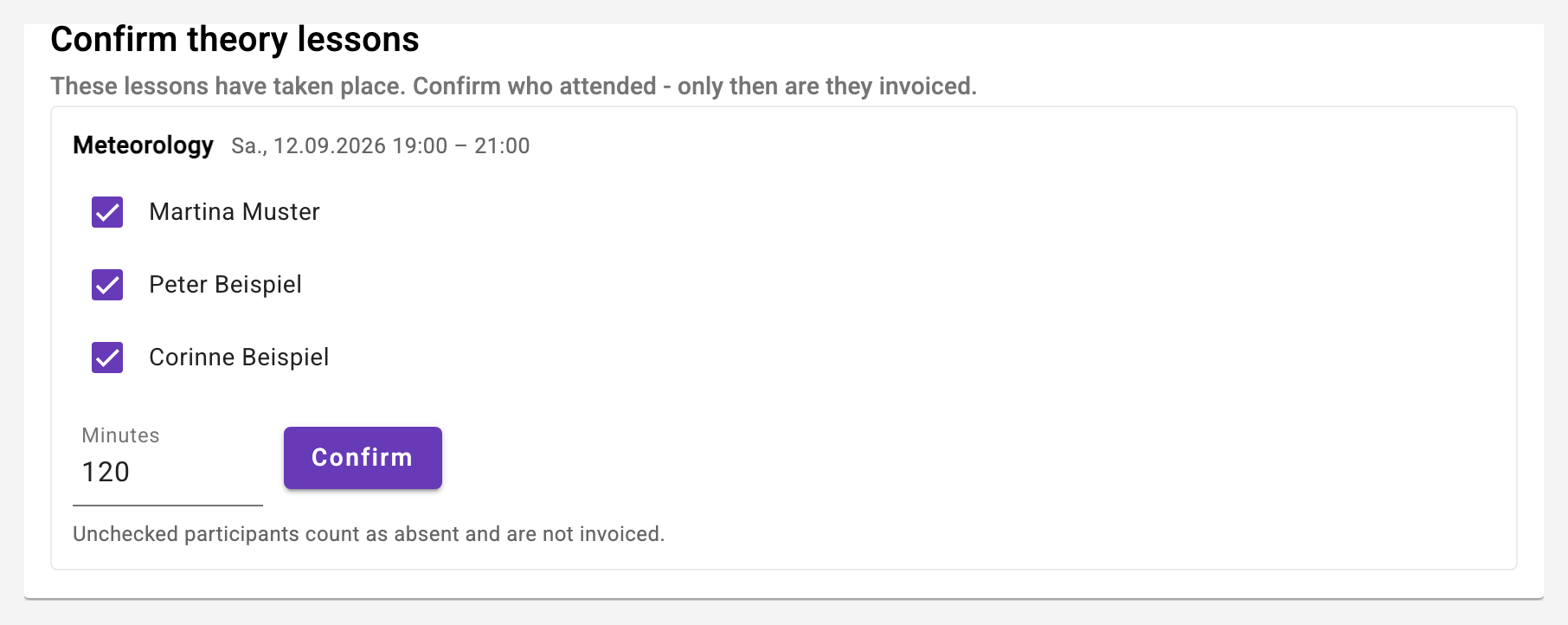
After the lesson the theory instructor confirms who attended - only that creates the billable entry. The card Confirm theory lessons on the dashboard lists every lesson that has taken place and is still undecided.
- Everyone who registered is pre-ticked - that is the normal case. Whoever did not show up is unticked and not invoiced.
- The duration is pre-filled with the planned one; if the lesson ran longer, correct it here.
- The club owner sees all open lessons of the club and can fill in what is missing.
- No invoice: if the lesson is included in a person's theory package, mark it as "no invoice" for that person. The attendance counts (training record, report), the invoice run leaves it out - otherwise it would be paid twice.
Theory checks in the training record
A check in the syllabus can be created as a theory check ("Type of check" in the syllabus administration). A theory instructor may confirm those as well - he taught the lesson and is the only person who can tick the box in good conscience.
Flight-related checks stay with flight instructors and the owner. Whoever is both may do both. Existing checks remain "manual" - switch them in the syllabus administration if a theory instructor should be able to confirm them.
Billing
Theory lessons run through the regular invoice run: the theory resource appears in the selection like an aircraft, and the club-wide run includes it automatically.
- Participants pay for their confirmed minutes at the hourly rate of the resource.
- The theory instructor is paid for the lesson duration once, regardless of how many attended - less the club's share.
- An attendance marked no invoice is missing from that person's invoice; the theory instructor's settlement is unaffected - he held the lesson.
Lessons held in the logbook
A theory resource has no logbook entries - what took place there are the lessons. The logbook of the resource therefore lists the lessons held, with topic, instructor, duration and the state of each attendance (attended, absent, not confirmed). The club owner and the instructor of the lesson can set or clear no invoice there afterwards - as long as the invoice has not been created yet.
What differs from flying
- A theory lesson always needs an instructor - without one it is an empty appointment.
- The resource is not booked exclusively: two instructors can teach at the same time, in two rooms or online. In the occupancy overview such lessons are therefore stacked. That nobody teaches twice at once is still checked.
- No check-flight rules apply, and no logbook entry is created.